
Guide · Roofing & remodeling
Geofencing ads for roofers and remodelers: what vendors sell, what Google and Meta allow, and how to test it
What "geofencing" really means when a vendor pitches it, what Google and Meta let you target, where location data comes from and why regulators care, the questions to ask in writing, and a small test judged by signed jobs.
The short answer
"Geofencing" can mean three things: a radius on Google or Meta, a vendor's mobile-device fence, or ads to a list of addresses. Google won't go under 1 km and Meta's Housing rules need 15 miles, so tiny fences only exist through vendors. Ask where their location data comes from, then test one fence by signed jobs.
Key takeaways
- Three different products are sold as "geofencing". Know which one you are buying before you compare offers.
- Google says: "we do not allow radius targeting under 1 km around any given location". In Meta's Housing category, the area must be at least a 15-mile radius in the US, with no ZIP codes.
- A fence around one street, one job or one store is a vendor product built from phone location data, not a Google or Meta setting.
- The FTC has acted against several location-data companies over consent and sensitive places. Those cases were against data companies, not contractors, but your vendor buys from that market. Ask it in writing where its data comes from.
- Test one fence type in one area, with its own tracked phone number and CRM lead source, and judge it by signed jobs, not ad views or "visits".
Want us to find your three biggest lead leaks?
Free Growth DiagnosisWhat is geofencing, and what are vendors really selling?
A roofing manufacturer's article on a trade site defined a geofence as a "virtual perimeter for a real-world geographic area". Ads are then shown to phones, or to homes, inside that area. That is the idea. The products sold under the name are not the same.
| 1. Google or Meta location targeting | 2. A vendor's device fence | 3. An address list ("addressable") | |
|---|---|---|---|
| What it is | A radius or area you choose in your own Google Ads or Meta account | A line drawn on a map by an ad vendor; ads go to phones seen inside it | Ads aimed at a list of street addresses |
| Where the location comes from | Google's or Meta's own signals | Phone location from apps and ad exchanges, bought through an ad-buying platform | Your list, matched to people or homes |
| Smallest area | Google: no radius under 1 km. Meta Housing: at least a 15-mile radius in the US | Vendors sell fences much smaller than 1 km | One address on your list |
| Whose rules apply | The platform's ad and targeting rules | The vendor's own data and consent practices, plus privacy law | The platform's list terms, plus privacy law |
| What to check | That your area fits the rules and is big enough to show | Where the data comes from and how people agreed to it | That you have the right to use every address on the list |
Vendors offer fences around many kinds of places: job sites, storm areas, competitor offices or trucks, home-improvement stores, new housing developments and older-home neighborhoods. We do not give fence sizes or accuracy figures for any of them. None of the pages we read showed independent data for them.
Two notes:
- This guide is about ads, not GPS time clocks for crews, which use the same word.
- Our yard signs guide covers ads around one finished job; this guide covers the paid products and the rules behind them.
Pages change, so check each source before you rely on it.
What do Google Ads location settings allow?
Google's own help page on location targeting sets the limits.
- No radius under 1 km. Google says: "we do not allow radius targeting under 1 km around any given location".
- Small areas may not run. "If you target a small radius or very small location, your ads might only show intermittently or not at all."
- What you can choose. Countries, "Areas within a country" (regions, cities or postal codes, depending on the country), a "Radius around a location", and "location groups that can include places of interest, your business locations and/or tiered demographics".
- Who sees the ads. Whether to reach only people in your area or also people interested in it is covered in which location setting a roofing company should use.
Housing ads have tighter rules. For ads in its housing category, Google's policy says: "In the United States and Canada, you can't target audiences using:" gender, age, parental status, marital status or ZIP codes, and "Radius targeting requires setting at least 1 km around any given location." Google's housing page lists homes for sale or rent and the services around them. It does not mention roofing or remodeling. Check how Google classifies your ads in your own account. Our retargeting ads guide covers the same rules for past site visitors.
So on Google, no radius can be under 1 km, and a small area may barely show. A fence around one house or one job is not a Google setting.
What does Meta allow for roofing and remodeling ads?
Meta's Housing category can cover roofing and remodeling ads; our Facebook ads guide explains which Meta rules limit contractor ads. Here is only the location part.
Meta's developer page on Special Ad Categories says:
- 15 miles at least. "Location selection must include all areas equal or larger than 15 mile or 25 kilometer radius for the US and Canada" around "any selected city, address, or dropped pin".
- No ZIP codes. ZIP codes are on its list of location types that "are not supported".
- No cutting out areas. "Location exclusion is not supported."
So in a Housing campaign, a fence around one street or one job is not possible on Facebook or Instagram. For storm areas on Meta, see whether roofers can target storm areas on Facebook. We do not state Meta's limits for other ad categories here.
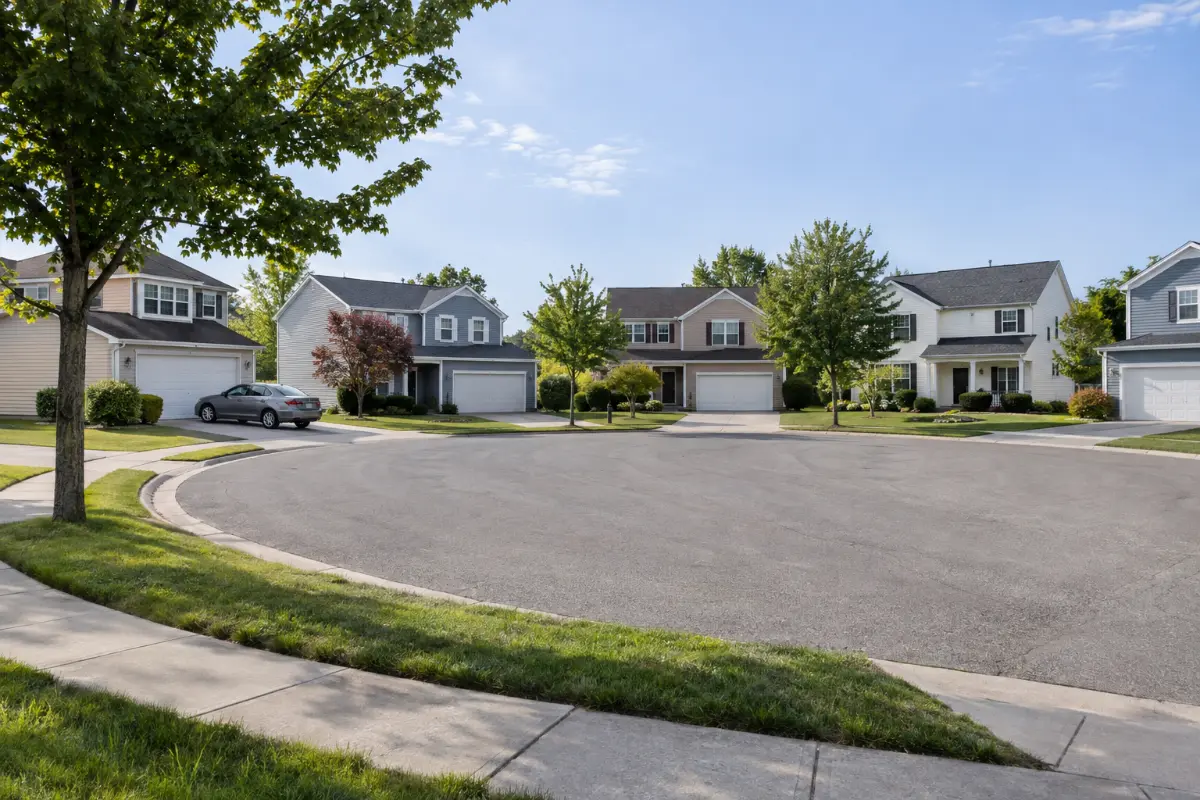
The smallest area each one allows
Can you target people who visited a competitor or a store?
Vendors sell it. Here is what that pitch really means.
How vendors do it. Phone apps and ad requests can carry a device's location. A vendor collects or buys those locations, finds the devices seen inside a fence around, say, a competitor's office or a home-improvement store, and shows ads to those devices later. The FTC has described the same thing in its cases: one data company "cross-references consumers' location histories with advertising-related points of interest" and sorts people into audience groups; another "collected data from real-time bidding exchanges and third-party aggregators".
What the reports mean. "Foot traffic", "store visits" or "conversion zone" reports are the vendor's own model of which devices went where. They are not proof that anyone hired you. Only a signed job in your CRM is.
Not a Google or Meta setting, as far as we found. We found no option on Google's or Meta's targeting pages to aim at people who visited a named competitor's office or store. Do not assume your Google or Meta account can do it.
Never let the ad say where someone was. No "Saw you at the home store?" and no "We noticed you visited…". Meta's ad standards say ads must not assert or imply personal attributes of the person seeing them; that paragraph is in the same Meta rules section linked above. Write about the work, the area and your company, never about the person.
Questions to ask a vendor, in writing:
- Where does your location data come from: which apps, which ad exchanges, which data suppliers?
- How did people agree to share their location, and can you show the consent wording?
- Do you leave out sensitive places, such as clinics, places of worship and shelters?
- Who owns the audience and the data after the campaign ends? Do I keep anything?
- What is the full cost, every fee included, and how long is the contract? How do I cancel?
- What report do I get, and can it tie to the lead sources in my CRM, down to signed jobs?
A vendor that cannot answer the first three plainly is a risk to your name, not just your budget.
What do privacy rules say about location data?
Location data is a legal topic because of how it is collected and sold. In plain words, from the FTC's own releases:
- X-Mode Social and Outlogic (January 2024). The order says they are "prohibited from sharing or selling any sensitive location data". The FTC Chair called it "a first-ever ban on the use and sale of sensitive location data".
- InMarket (January 2024, order final May 2024). The FTC said it "failed to obtain informed consent from users of its own apps" and used location data "to sort them into particularized audience segments" for advertisers. The order bans "any product or service that categorizes or targets consumers based on sensitive location data".
- Mobilewalla (December 2024, order final January 2025). The FTC said it "collected data from real-time bidding exchanges and third-party aggregators" and built audience segments for clients. It is barred from "collecting consumer data from online advertising auctions for purposes other than participating in those auctions".
- Gravy Analytics and Venntel (December 2024, order final January 2025). The FTC said they sold "data about consumers' visits to health-related locations and places of worship" and collected location data "without obtaining verifiable user consent for commercial and government uses".
- Kochava (May 2026, proposed order). The FTC filed a proposed order that bars "selling, sharing or disclosing sensitive location data without consumers' affirmative express consent".
These cases were against data companies, not contractors. But a vendor's device fence is built from this same kind of data, so the questions above matter.
Texas. The Texas Data Privacy and Security Act took effect July 1, 2024. In plain words:
- "Precise geolocation data" is location that identifies a person "within a radius of 1,750 feet", and it counts as "sensitive data".
- A business the law covers may not "process the sensitive data of a consumer without obtaining the consumer's consent". Consent means "a clear affirmative act" that is "freely given, specific, informed, and unambiguous".
- Most of the law does not apply to a small business as the SBA defines it. But Texas law says even a small business may not sell sensitive data, such as precise location, without the person's prior consent.
- The attorney general enforces it, with a 30-day notice to fix a problem first.
Most roofers and remodelers never collect location data themselves; the ad vendor does. Under Texas law, precise location is sensitive data that needs consent. Ask your vendor in writing where its location data comes from and how people agreed to it.
Other states: many have their own privacy laws. Check the rules in your state before you buy.
General information, not legal advice. Rules change. Ask a lawyer in your state.
Can you upload addresses or a customer list?
Yes, but only your own, with the right to use it.
- Google says: "you may only upload customer information that you collected in the first-party context." Its list of things not allowed includes "Using a customer list that targets an overly narrow or specific audience."
- Meta's list terms say that by uploading, you confirm "you have all necessary rights and permissions and a lawful basis" to use the data.
What that means for a roofer or remodeler:
- Your own customers and estimates: fine to plan with. Past customers and people who asked you for a quote are the best list you have.
- No bought storm lists. An address list you bought or scraped is not information you collected yourself. Do not upload it as an audience. See what you may do with storm addresses, in our hail maps guide.
- No cold texts or calls. Never text or call phones or homes from a fence or a bought list (texts only with consent); see the texting rules for contractors.
- Past site visitors are a different product. That is retargeting, covered in our retargeting ads guide.
General information, not legal advice.
How do you test geofencing without wasting a season?
Even vendors say impressions are not jobs. One agency guide: "Geofencing generates awareness and clicks, not booked jobs." A software vendor: "If you cannot tie impressions to booked jobs, you are just guessing." So judge a fence by signed jobs.
The method is the same as the 30-day test in our hail maps guide: change one thing, tag it, count signed jobs. What is different for geofencing:
- One fence type, one area, one period. For example, only a storm-area fence in one part of town, not storm areas, competitors and stores at once.
- A baseline from the same area. Count leads, estimates and signed jobs from that area for a comparable period before the test.
- Its own phone number and landing page. Every fence gets a tracked number and a page used for nothing else, so a call or form can only come from that fence.
- Its own CRM lead source. Tag each lead with the fence name and keep the tag until the job is signed or lost.
- The keep-or-drop rule, written first. For instance: "We keep it only if signed jobs from this fence pay for the full cost."
- Count signed jobs, not views. Ignore impressions, clicks, "visits" and "view-through conversions" for the verdict. Work out your cost per signed job for the fence, with every fee in it.
Worked numbers in this guide show the method; they are not real client results.
The table uses counts only, no money. The numbers are our own inputs, chosen to show the method. They are illustrative only, not real results.
| One storm-area fence, same area | Baseline (no fence) | Test (with the fence) |
|---|---|---|
| Calls and forms tagged to the area | 18 | 24 |
| Of those, from the fence's tracked number or page | — | 7 |
| Estimates run from the fence | — | 5 |
| Signed jobs from the fence | — | 1 |
| Signed jobs from the area, all sources | 4 | 5 |
What the table shows: the vendor report may show many ad views, but the fence brought 7 leads and 1 signed job. Whether that is worth it depends on the full cost and your margin per job. One period is never enough to be sure; repeat the test before you commit to a long contract.
Is geofencing worth it for roofers and remodelers?
It depends on which of the three products you mean.
- Google or Meta location targeting: a good fit for storm areas and wide service areas, inside the platform rules. It is a standard setting in Google Ads and Meta ads accounts.
- A vendor's device fence: only if the vendor answers the data and consent questions in writing, and a small test shows signed jobs.
- An address list: fine for your own customers and estimates; not for bought lists.
Common mistakes:
- Buying on ad-view counts or "foot traffic" reports.
- Setting fences smaller than the platform allows, so the ads never run.
- Uploading a bought address list as an audience.
- Ad copy that hints you know where someone was.
- No tracked number or CRM source per fence, so nobody can tell what worked.
- Judging after one week, or signing a long contract before any test.
Common mistakes and the fix
| Common mistake | What to do instead |
|---|---|
| Buying on ad-view counts or foot traffic reports | Count signed jobs, not views |
| Fences smaller than the platform allows | Google: at least 1 km. Meta Housing: at least 15 miles |
| Uploading a bought address list | Your own customers and estimates only |
| Ad copy that hints you know where someone was | Write about the work, the area and your company |
| No tracked number or CRM source per fence | Its own tracked number, landing page and CRM lead source |
| Judging after one week | Repeat the test before you commit to a long contract |
Where Digital Hark fits
Digital Hark runs Google and Meta ads, landing pages, tracking and follow-up systems for home-service contractors. We do not sell geofencing or location data, and we are not paid by any geofencing vendor. What we do: set up Google and Meta location targeting inside their rules, build the landing page, set up call tracking and CRM lead sources, and read results by signed jobs. For Facebook and Instagram, see our Meta ads management for roofing and remodeling companies. We never call your leads or book jobs for you; your team takes the calls. You own every account and every lead. See how we work with roofing companies and how we work with remodelers.
Geofencing checklist
- ☐ You know which of the three products you are being offered.
- ☐ Your Google areas are at least a 1 km radius, and big enough to show.
- ☐ If your Meta ads are in the Housing category, your areas are at least 15 miles, with no ZIP codes.
- ☐ Any vendor has answered in writing: data source, consent, sensitive places, audience ownership, full cost and contract, CRM report.
- ☐ Your ads never say or hint where the person was.
- ☐ Audience lists are your own customers and estimates only.
- ☐ Texts go only to people who agreed to get them (texts only with consent).
- ☐ Each fence has its own tracked number, landing page and CRM lead source, and a keep-or-drop rule written down.
Common questions
What is geofencing for roofers?+
Showing ads to people inside a chosen area. It can mean a radius in your own Google or Meta account, a vendor's fence that targets phones seen inside a small area, or ads aimed at a list of addresses. They follow different rules, so ask which one you are buying.
How small can a geofence be on Google Ads?+
Google does not allow radius targeting under 1 km around any location. It also warns that ads on a very small radius or location "might only show intermittently or not at all". Smaller fences are vendor products, not Google settings.
Can roofers geofence on Facebook?+
Only inside Meta's rules. If your ads are in the Housing category, Meta's developer page says the area must be at least a 15-mile radius in the US, with no ZIP codes and no location exclusion. A fence around one street or job is not possible there.
Can you geofence a competitor's office?+
Vendors sell it, using phone location data from apps and ad exchanges. We found no such targeting option on Google's or Meta's pages. Before you buy, ask the vendor in writing where the data comes from and how people agreed to it, and never write an ad that hints you know where someone was.
Is geofencing legal in Texas?+
Texas law treats precise location, within 1,750 feet, as sensitive data that needs the person's consent, and even a small business may not sell it without prior consent. Most roofers never collect it; the vendor does. Ask your vendor how it complies. General information, not legal advice.
How do you know if geofencing works?+
Give each fence its own tracked phone number, landing page and CRM lead source, and count signed jobs from it against a baseline from the same area. Impressions, clicks and "visits" are not jobs.


