
Guide · Lead handling
Auto reply messages for contractors: what to send to a new form, Facebook or email lead, and the rules
Copy-ready first replies for roofing, remodeling and tree service leads, by channel, plus what never to say and the rules (texts only with consent).
The short answer
Write one auto reply per channel. A website form lead gets a text (texts only with consent) or plain email. A Facebook or Instagram instant form lead gets a follow-up that names the form. Messenger and Instagram messages get an instant reply and away message, set in Meta Business Suite's Inbox Automations. Your email inbox gets a plain autoresponder.
Key takeaways
- Turning on Meta Business Agent pauses your instant replies and away messages, so check them again after.
- After hours, name the real next window, not "in a few minutes".
- The auto reply buys time. It is not contact; your team's first call is.
Want us to find your three biggest lead leaks?
Free Growth DiagnosisWhich four parts does every template below share?
Every channel's reply does these four jobs; only the wording and the stop line change, as the templates below show:
- Confirm. Name your company and the request, so it does not look like spam.
- Who and when. A person or "our office", and a window your team keeps.
- One question. The one answer that helps the first call most (water coming in, which room, how close the tree is); the rest belongs in the first-call questions for roofers.
- How to stop. In a text (texts only with consent), "Reply STOP to opt out"; in an email, a plain way to say "no thanks".
Keep it to two or three short sentences. See also our speed-to-lead service.
Auto reply templates by channel
Copy, then change everything in {braces}; trade swaps are in [brackets].
When a template goes out as a text (texts only with consent), end it with "Reply STOP to opt out."
1. Website form → text (texts only with consent)
{Company} here. Hi {first name}, your [roof repair / kitchen / tree removal] request just came in. {Rep name} will reach you {window you can keep, such as "by 10 am tomorrow"}. Quick question: [Is water getting inside right now? / Which room is the project for? / Is the tree close to the house or a wire?] Reply STOP to opt out.
2. Website form → email (plain subject line, no offer)
Subject: We received your {service} request, {Company}
Hi {first name},
This confirms {Company} received your request for {service} at {street, city}.
What happens next: {Rep name} will contact you {window you can keep} by {phone / email}.
If it is easy, reply with a photo of [the roof from the ground / the room / the tree].
{Rep name}, {Company} · {phone} · {office hours} · {mailing address}
More lines for website form replies (in a text, texts only with consent; end every text with "Reply STOP to opt out.")
- Hi, this is {Company}. Your request from our website just came in.
- If it is safe to take from the ground, a photo of the damaged area helps {Rep name} get ready.
- Is this for a kitchen, a bathroom or another room?
- Is the tree leaning toward the house, a fence or a wire?
- Subject: {Company}: your {service} request at {street}
- Nothing else is needed from you right now. {Rep name} will {call / email} you {window you can keep}.
3. Facebook or Instagram instant form → first follow-up (email, or a text; texts only with consent)
Hi {first name}, this is {Company}. You filled out our form on Facebook about [your roof / your bathroom / a tree]. {Rep name} will reach out {window you can keep}. Is {street} the right address for the visit? Reply STOP to opt out.
A Facebook form lead may not remember your name, so say where the request came from; for the form's own thank-you screen, see our lead form vs landing page comparison.
Facebook form follow-up
Your Remodeling Co.
Hi {first name}, this is {Company}. You filled out our form on Facebook about your bathroom.
{Rep name} will reach out {window you can keep}. Is {street} the right address for the visit?
Reply STOP to opt out.
More lines for Facebook and Instagram form leads (by email, or in a text; texts only with consent; end every text with "Reply STOP to opt out.")
- You filled out our form on Instagram about [your roof / your kitchen / a tree].
- Is {phone number from the form} the right number for {Rep name} to reach you?
- Is the project at {street, city}, or at a different address?
- Thanks for answering our question about {form question}. {Rep name} will have your answer before reaching out.
- Subject: Your request to {Company} from our Facebook form
4. Messenger or Instagram → instant reply
Thanks for messaging {Company}. This is an automatic reply; our team reads messages {days and hours} and will answer here. Send us the job [roof, remodel, tree], the address or ZIP, and the best way to reach you.
5. Messenger or Instagram → away message
Thanks for your message. Our office is closed; we are back {day and time} and will answer here then. If a tree is on your house or a power line is down, stay clear and call 911 or your power company first.
More lines for Messenger and Instagram
- Thanks for the photo. {Rep name} will look at it before answering here.
- If you would rather talk by phone, send your number and the best time, and {Rep name} will call you {window you can keep}.
- To help our team answer, tell us the job [roof leak / kitchen / tree removal] and your ZIP code.
- Our office is closed for {holiday} and opens again {day and time}. Our team will answer here then.
- After this week's storm our team is answering messages in the order they came in. A photo of the damage, taken from the ground, helps us sort urgent jobs first.
6. Email inbox → general autoresponder
Subject: We got your email, {Company}
Thanks for writing to {Company}; this automatic reply confirms your email arrived. We answer {when you really do, such as "by the end of the next business day"}. For a new project, reply with the address, the job and a phone number.
{Company} · {phone} · {office hours}
More lines for your email inbox
- Subject: {Company} received your email
- This is an automatic reply. A person from {Company} reads this inbox {days and hours}.
- If your email is about a job we already did or have booked, add the job address so {Rep name} can find it.
- Our office is closed {dates}. Emails are answered from {day} in the order they came in.
- Please do not send card numbers, insurance policy numbers or ID by email.
Not covered here: the first text and voicemail scripts in our speed-to-lead guide and missed-call texts in our missed-call text-back guide (texts only with consent).
Software makers publish long lists of auto reply samples, some grouped by situation such as after hours, weather delays, Messenger and Instagram. The ones we read mostly skip consent and opt-out, so add those lines yourself.
After hours and storm weeks: when each channel replies
An automatic reply at 11 pm is fine; a promise of a call "in five minutes" is not.
- Email at night: it can go out at once.
- Text at night (texts only with consent): hold it until the hours your rules allow; see the texting rules below and the state rules section of our 10DLC guide.
- Messenger or Instagram at night: the away message answers (template 5); change its "back {day and time}" line for holidays.
7. After hours or weekend (email, or a text in allowed hours; texts only with consent)
Thanks, {first name}. {Company} got your [roof / remodeling / tree] request after office hours. {Rep name} will reach you {tomorrow morning after {opening time} / Monday}. If a tree is on the house or a power line is down, stay clear and call 911 or your power company first. If water is coming in, call {after-hours number, only if someone answers it}.
8. Storm week (roofers; email, or a text; texts only with consent)
Hi {first name}, {Company} got your roof request. After this week's storm we are working through requests in the order they came in. {Rep name} will reach you {realistic day}. If water is coming in, a photo of the ceiling and one of the roof from the ground help us sort urgent jobs first. Reply STOP to opt out.
No "same day" in storm weeks unless your crews really can, and never ask a homeowner to climb a ladder.
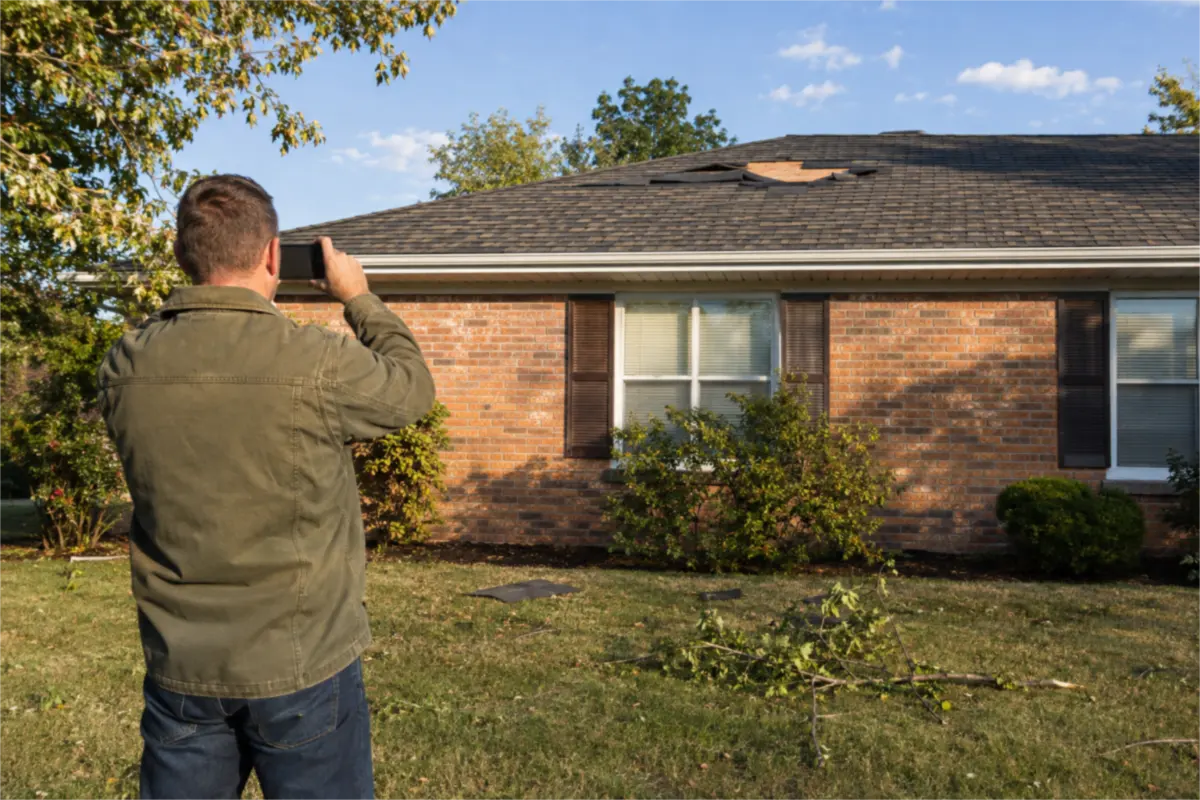
9. Tree on a house or a line down (form reply or away message)
If a tree is on your house or a power line is down: keep everyone away, call 911 if anyone is in danger, then call your power company. Once everyone is safe, call us at {number} {and say when someone answers}.
Safety first, your company second, every time.
What should an auto reply never say?
- No price, "ballpark", discount or financing offer. Nobody has seen the job, and an offer makes the email a marketing email.
- No "insurance will cover it". The policy decides, and some states have their own storm and deductible rules (see our deductible law guide).
- No call or visit time your team cannot keep. "Shortly" at 11 pm reads as a broken promise by 8 am.
- No "guaranteed", "best" or "lowest" claims.
- No dead links, and no booking page your team does not watch.
- Never ask for card numbers, insurance policy numbers or ID.
- Never pretend to be a person. Say "This is an automatic reply"; our website chat guide has the same rule.
Never say, send instead
| Never say | Send instead |
|---|---|
| A price, ballpark, discount or financing offer | Name your company and the request |
| Shortly, at 11 pm | A window your team keeps |
| Same day, in a storm week | {Rep name} will reach you {realistic day} |
| Insurance will cover it | The policy decides |
| A ladder climb | A photo taken from the ground |
| Card numbers, insurance policy numbers or ID | Please do not send card numbers, insurance policy numbers or ID by email. |
| Pretending to be a person | This is an automatic reply |
How do you set up instant replies on Facebook and Instagram?
Meta calls these Inbox automations. They reply across "Messenger, Instagram and WhatsApp" for Facebook Pages, Instagram business accounts and WhatsApp Business accounts connected to Meta Business Suite.
The two you need first:
- Instant reply: "Reply with a greeting when someone messages you for the first time." Use template 4.
- Away message: "Reply to a message when you're not available." Use template 5.
Meta also offers FAQ, location, contact information and hours replies, and custom keywords (desktop only).
Menu path (as of November 2026; Meta changes these menus often): your Page → Meta Business Suite → Inbox → Automations → Instant reply → turn it on, choose Messenger → write the reply → Save changes. The greeting "will appear before any messages are sent" in a first conversation with your Page.
Four things to know:
- Keyword replies wait. Inbox sends a keyword automation "after 15 minutes unless you personally respond before then." Up to five keywords or phrases per automation; "keywords are case-sensitive"; a keyword can sit in only one automation.
- Template beats keyword. If an away message and a keyword reply both trigger, Meta sends the template reply.
- Meta Business Agent pauses them. "If you turn on Meta Business Agent, any existing automations (such as away messages or instant replies) will be paused."
- Not every account sees every option. "Depending on which channels you have connected, some automations may not be available to you."
Test it from a personal account, at night too.
Where else do auto replies come from?
- Your CRM or lead inbox: replies when a website or Facebook form lead arrives.
- Your email program: a vacation or rule-based reply on the general inbox (template 6).
- Your phone system: texts after a missed call (texts only with consent; see the missed-call guide above).
An AI that answers your phone is another tool; see our AI receptionist guide.
What rules apply to automatic texts and emails?
Texts (texts only with consent). Send an automatic text only to someone who agreed to get texts from you, with a way to stop in every text. The consent wording and STOP and HELP replies are in the consent section of our 10DLC guide and its STOP and HELP section; quiet hours and the FCC changes are in the speed-to-lead guide's rules.
Email. The FTC says a message's "primary purpose" decides which CAN-SPAM rules apply. Transactional or relationship content includes content that "facilitates, completes, or confirms a commercial transaction that the recipient already has agreed to", and the law reads those categories "narrowly". If a reader of the subject line would think the email is commercial, or the transactional part is not mainly at the beginning, the FTC treats it as commercial.
In plain words: an email that only confirms a homeowner's own request reads as a reply, not a sales email. Do not assume the transactional label covers it, though. Once you add offers, discounts or other services, treat it as a marketing email and follow CAN-SPAM, including honoring opt-outs "within 10 business days". Email types: see the types of email section of our email-to-past-customers guide.
This is general information, not legal advice. Rules as of November 2026.
How do you tell which channel's auto reply works?
The auto reply does not count as first contact; the same rule is in our speed-to-lead measures. Count, per channel, each month:
- Leads in
- Reached by a person (a call or reply from your team)
- Answered your one question (photo, room, address)
- Booked visits that took place
- Signed jobs
Worked numbers in this guide show the method; they are not real client results. Say your website form brings 40 leads in a month. All 40 get the auto reply, but that is not contact. Your team reaches 31; 12 answered the question in the reply; 14 visits take place; 5 jobs are signed. Your measure is 5 signed jobs from 40 form leads. Add the cost of the tools to your cost per signed job.
Once a month, read 10 replies that went out against the never-say list.
Who owns the replies on each channel?
- The tool on each channel (Meta Business Suite for Messenger and Instagram, your CRM or lead inbox for forms, your email program for the inbox): sends the reply the moment a lead arrives. That is all it does.
- Your team: answers the Messenger or Instagram thread, calls or emails the form lead, then inspects, quotes and signs the job.
- You, or one person in the office: own the wording on every channel, change the windows for holidays and storm weeks, test the Meta replies from a personal account after any change, and count signed jobs per channel.
Common questions
What is an auto reply message for contractors?+
A message your systems send on their own when a homeowner fills out a form, messages your Page or emails you. It confirms the request and says who calls and when.
What should I send a Facebook instant form lead first?+
A follow-up by email, or a text only with consent, that says where the request came from, such as "You filled out our form on Facebook about your roof", because a form lead may not remember your name. Then say who will reach out and when, and ask if the address is right.
Do I need permission to send an automatic text?+
Yes: texts only with consent, with a way to stop in every text. The wording is in the consent section of our 10DLC guide; this is not legal advice.
How do I set up an instant reply on Facebook Messenger?+
As of November 2026: your Page → Meta Business Suite → Inbox → Automations → Instant reply, turn it on, choose Messenger, write the reply and save. If you turn on Meta Business Agent, Meta pauses instant replies and away messages.
Can an auto-reply email include a discount?+
If it does, treat it as a marketing email and follow CAN-SPAM, including honoring opt-outs within 10 business days. A plain reply that only confirms the request is safer; this is not legal advice.
Does an auto reply count as responding to the lead?+
No, it only buys time. The lead counts as reached when a person from your team talks to or answers them.


