
Guide · Ads
Nextdoor ads for contractors: do they work for roofers, remodelers and tree services?
What Nextdoor offers contractors for free, how its paid ads are billed and targeted in Nextdoor's own words, which roofing, remodeling and tree jobs fit, and how to test it against signed jobs.
The short answer
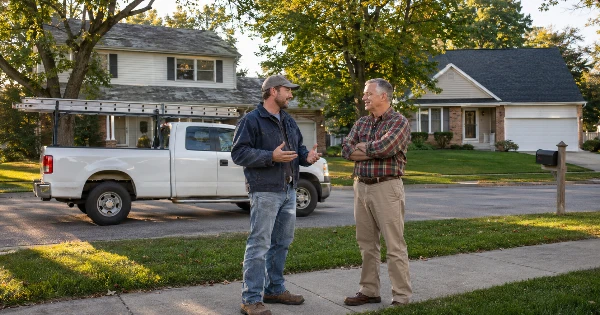
Nextdoor can work for planned jobs in neighborhoods where you already have happy customers. Start with the free Business Page, recommendations and free posts. Then test paid ads in a few postal codes with a small daily goal, and judge them by cost per signed job, not clicks. Emergency work usually goes to Google.
Key takeaways
- Free first. A Nextdoor Business Page and posts cost nothing, and neighbors' recommendations are what people trust there.
- Nextdoor Ads are pay as you go. You set a daily goal or a lifetime budget, and Nextdoor bills you at a billing threshold or your monthly billing date, whichever comes first.
- Nextdoor publishes no price list. There is no public CPM or CPC rate card, so plan from your own test, not from numbers in older guides.
- Ads target by state, city, DMA or postal code, plus homeowner and interest options. Radius and neighborhood choice are for free posts, not ads.
- Track every lead to a signed job. Many Nextdoor customers never click an ad; they "heard about you". Ask, and log it.
Want us to find your three biggest lead leaks?
Free Growth DiagnosisDo Nextdoor ads work for contractors?
Yes, for the right jobs and in the right neighborhoods. Nextdoor is a local network where neighbors ask each other for a good roofer, remodeler or tree guy. Nextdoor says "1 in 3 U.S. households are active on Nextdoor" (its own data with GWI, 2022) and that 77% of its audience are homeowners (Comscore, December 2024, US). That is the audience most contractors want.
The common view across the guides we read is that recommendations are the base and ads are the amplifier. A neighbor saying "we used them, they were great" does more than any ad. Paid ads help more people in your postal codes see your name, your trucks and your finished jobs, so that when they need you, they already know you.
Jobs that fit:
- Planned work people think about for weeks: a roof replacement, a kitchen or bath remodel, tree trimming or a planned removal.
- Visible work neighbors walk past: a new roof on the street, a finished addition, a big tree taken down safely.
- Work neighbors ask about: "Can anyone recommend a roofer?" is a common kind of post.
Jobs that fit less: emergencies. When a roof leaks in a storm or a tree is on the house, most homeowners search on Google and call one of the first good results. Nextdoor is the slower channel; it pays off over weeks, not hours.
Free vs paid: what does Nextdoor offer contractors?
Start free, then decide on paid. Here is what Nextdoor lists today.
| Option | Cost | What it does (Nextdoor's words where quoted) |
|---|---|---|
| Business Page | Free | "Claim your free Business Page." Nextdoor says "home service providers can all participate on Nextdoor." |
| Recommendations and Faves | Free | Neighbors recommend you. Nextdoor: "Build trust through their recommendations and collect 'Faves' to help build your reputation as a well-loved business." |
| Business Posts | Free | "Reach local customers with unlimited free posts: updates, expert advice, and more!" You choose who sees them "by increasing or decreasing the radius around your business" or by "manually select or deselect specific neighborhoods". |
| Nextdoor Ads (Ads Manager) | Paid, you set the budget | Ads in the newsfeed and other placements, targeted by location and audience. Nextdoor says "Small business advertising for as little as $5/day". |
Do the free part well before you spend. Claim the page, add real job photos and your service area, and ask every happy customer to recommend you on Nextdoor. Nextdoor recommendations are not Google reviews; you need both. Our guide to Google reviews for contractors shows how to ask every happy customer the right way, and the same habit works here. Nextdoor's free page is the neighborhood version of your Google Business Profile, so do both; our guide to Google Business Profile for roofers covers the Google side.
What about Neighborhood Sponsorships and Local Deals? Older guides recommend Neighborhood Sponsorships. Nextdoor's business site no longer listed them; both of its Sponsorships pages returned "not found". Ask Nextdoor what is available in your area before you plan around them. If you want to promote an offer, Nextdoor Ads has a goal to "Promote a sale or discount".
How much do Nextdoor ads cost, and how are you billed?
You decide the budget. Nextdoor says small businesses can advertise "for as little as $5/day". That is Nextdoor's own floor, not advice: what you should spend depends on your trade, your area and what a signed job is worth to you.
Nextdoor publishes no price list. Its current pages give no CPM (cost per thousand views) or CPC (cost per click) rate. Nextdoor has said bids can be per thousand views (CPM) or per click (CPC). Older guides online quote CPMs from single digits to hundreds of dollars, and they do not agree with each other. Many describe products Nextdoor no longer lists. Do not plan from them; plan from your own small test.
How Nextdoor bills, in its own words:
- Two budget types. "Daily Goal - Your Daily Goal is the amount you want to spend on your ads each day... you will not be charged for any amount spent beyond this goal." Or "Lifetime Budget - This budget option allows you to set a single, total spending limit for the entire duration of a campaign."
- Pay as you go. "With a pay as you go billing model, you will only be charged for impressions your ad has already served."
- When you are charged. "Payment will be automatic, and you'll be billed once you reach your billing threshold, or upon your monthly billing date, whichever comes first." Nextdoor adds: "Our system will establish a billing threshold based on your expected daily budget."
- Daily spend is not a daily charge. "The amount of ad spend each day is not the amount you'll be charged daily. Instead, that daily spend is added to your Billable Balance as your ads run. You will then be charged only when your balance reaches your Billing Threshold."
When you set up an ad group, "you will select your ad placements, target audience, bid, daily budget, duration and delivery schedule". Nextdoor names image ads, video, carousel and lead gen ads as formats.
In November 2025 Nextdoor added click optimization and conversion optimization for US advertisers. It reported an "average CTR lift of 134%" against CPM bidding in its own testing over 11 months during 2024 and 2025, and a "median 35% improvement in average CPA" in initial testing. These are Nextdoor's own tests and on-platform numbers. They measure clicks and ad conversions, not signed jobs.
How do you target your service area on Nextdoor?
Pick the postal codes where your best jobs already are. Nextdoor's ad targeting options are:
- Location: "Target based on: State, City/Region, DMA, Postal Code. Or select 'all US locations'." For a contractor, postal codes are the useful level.
- People: "age, gender, household income, or homeownership status", plus device.
- Interests: "such as: Home Services, Insurance, Pets, Travel, Retail, Real Estate, and more".
- Custom audiences: "Retarget past customers, exclude existing ones, or find new neighbors who look like your best customers."
- Placements: "Newsfeed (native), For Sale & Free section (deal or product highlights), or Right Hand Rail (desktop only)".
Nextdoor is also piloting weather targeting for US advertisers, so treat it as a test, not a feature to plan on.
Note what the list does not say. Nextdoor's ad pages do not offer a radius or a single neighborhood for ads; that choice is for free Business Posts. So build the ad area from postal codes.
How to choose them: open your job list for the last one or two years and sort signed jobs by postal code. Look for the codes with the most profitable jobs, the homes that fit your work (older roofs, larger lots with mature trees, homes ready for a remodel), and a short drive for your crews. Start with two to five of those.
If your ad touches financing, check the credit rules in Nextdoor's ad policy before you launch.
What should a contractor's Nextdoor ad say and show?
Sound like a neighbor, not a billboard. People on Nextdoor know their streets, so your ad works best when it looks like your real business:
- Real photos of your own jobs, crew and trucks in the area. No stock photos, and never AI-made people shown as your customers or crew.
- A face. The owner or crew lead, in work clothes, at a real job.
- Plain neighborhood words. "Roof inspections in [your town]" beats a slogan.
- One clear offer, such as a free roof inspection, a design consult or a written estimate. Keep prices and discounts out of the ad and talk about them on the call.
- Your license where your state requires it. Nextdoor's policy says ads "must comply with all applicable federal and local laws, required or established industry codes, guidelines, licenses, and approvals."
Nextdoor's ad policy also sets landing page rules:
- The page must be a "complete landing page not currently under construction or in PDF or JPEG format" and "contain original content".
- Your brand must be "clearly displayed at the top of the ad on all creative elements including images, videos, copy, and landing page".
- Lead generation ads need a privacy policy.
For more on photos and short videos that work in contractor ads, see what photos and videos work in contractor ads in our Facebook ads guide. The same advice works on Nextdoor.
Is Nextdoor a good fit for roofers, remodelers and tree services?
Roofers
Nextdoor fits the planned side of roofing: inspections, full replacements and gutter work in postal codes with older roofs. After a storm, it can help with follow-up in the areas you are already working, when neighbors see your trucks on the street. It does not replace Google for the emergency leak call. Our guide to Facebook ads for roofers covers storm timing and what Meta allows; on Nextdoor, you still target by postal code, not by one street.
Remodelers
Kitchens, baths and additions take months to plan, and neighbors notice finished work. That makes Nextdoor a good place to show a finished kitchen in the same town, in postal codes with many homeowners. Log every lead with its source and date, because a remodel that signs next spring should still count for Nextdoor. Our guide to Facebook ads for remodelers covers long decision cycles and qualifying questions.
Tree services
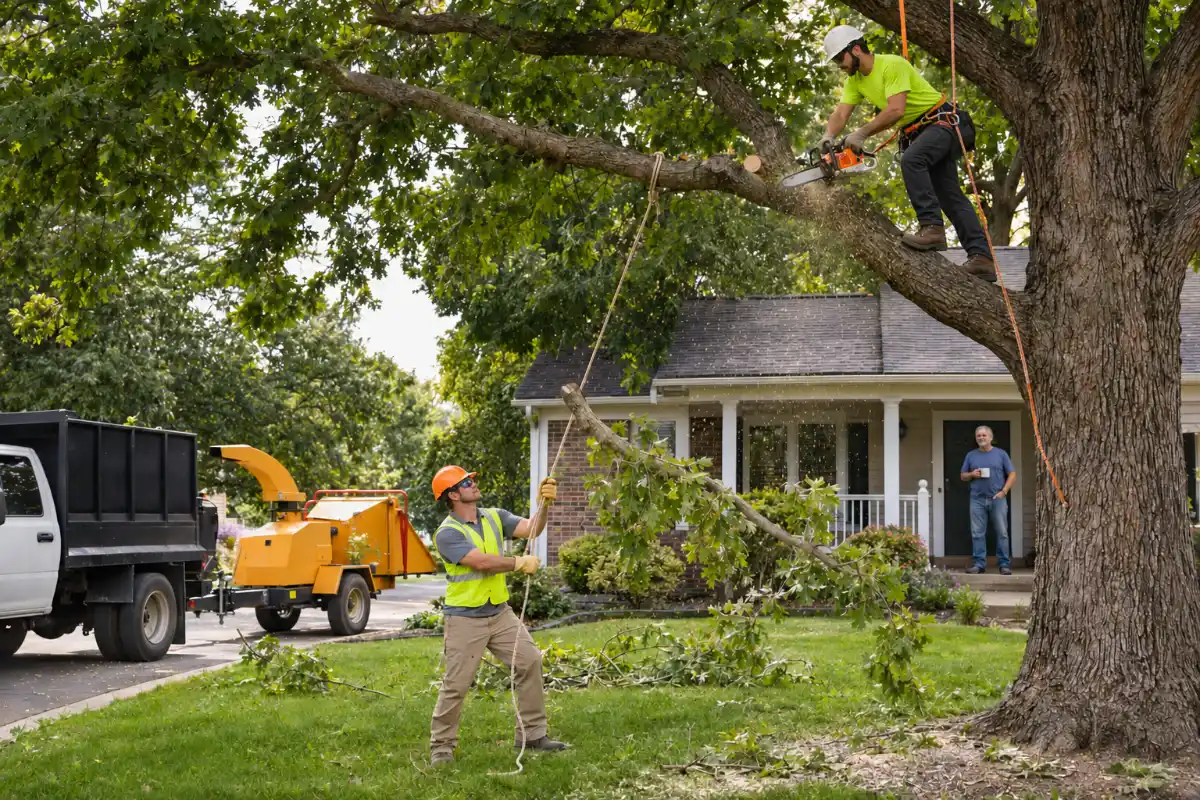
"Does anyone know a good tree guy?" is the kind of question neighbors ask on Nextdoor. Trimming, planned removals and stump grinding fit well, especially in postal codes with mature trees. Storm-down trees still go to Google. Our guides to Facebook ads for tree service and tree service leads, shared vs your own cover the rest of a tree company's lead flow. Neighbors ask the same question in local Facebook groups; see how to answer "who do you recommend?" posts.
Nextdoor ads vs Facebook ads for contractors
Neither is better for everyone. They reach people in different ways, and many contractors can test both.
| Nextdoor Ads | Facebook and Instagram ads (Meta) | |
|---|---|---|
| Who sees it | Neighbors on Nextdoor; Nextdoor says 77% of its audience are homeowners | People scrolling Facebook and Instagram in your area |
| Location targeting | State, city/region, DMA or postal code | Location options set by Meta; if Meta's Housing rules apply, no ZIP code targeting (see our Facebook guide) |
| Other targeting | Age, gender, household income, homeownership, interests, custom audiences | Depends on Meta's ad categories; see which Meta rules limit contractor ads |
| Formats | Image, video, carousel, lead gen ads | Image, video and more, plus instant forms |
| Tracking | Nextdoor Pixel or Conversion API | Meta Pixel and Conversions API |
| Best for | Planned work in postal codes you know | Visual, planned work and more reach |
For set-up, lead forms vs landing pages, and Meta's rules, use our Facebook ads for contractors guide; we do not repeat it here. Our guide to whether Yelp advertising is worth it for contractors covers another local ad platform.
How do you track Nextdoor ads to signed jobs?
Track the lead, then the job. Nextdoor is hard to measure because many people see your ad or a neighbor's recommendation and call you later, without clicking. So use more than one signal:
- A source field on every lead in your CRM or job sheet: Nextdoor ad, Nextdoor recommendation, Google, Facebook, referral. Recommendations do not click, so count them as a source too.
- "How did you hear about us?" on every call and every form. Write the answer down.
- A call-tracking number and a page just for Nextdoor. Then calls and forms from the ad are easy to count.
- The Nextdoor Pixel or Conversion API. Nextdoor says you can "Track conversions with the Nextdoor Pixel or Conversion API". It tells Nextdoor when someone sent your form, so you can see which ads bring leads.
- Lead stages. Mark each Nextdoor lead as reached, estimate sent, signed or lost.
That gives you the number that matters: cost per signed job. Our tracking service page and the tracking part of our Facebook ads guide explain how pixels, call tracking and a CRM fit together.
How do you test Nextdoor ads without wasting money?
Run a small, clear 30 to 60 day test:
- One trade, one offer. For example, free roof inspections, or tree trimming estimates.
- Two to five postal codes where your best jobs already are.
- A small daily goal you choose. Nextdoor's floor is its own "$5/day" figure; pick what you can afford to test for two months.
- Two ads. Same offer, different photo or headline, so you learn what neighbors respond to.
- Fast replies. Call back as fast as you can, and send an automatic text the moment a form comes in (texts only with consent). Our guide to speed to lead covers the reply plan, and our guide to auto reply messages for contractors has the words for that first text.
- Log every lead with its source, as in the tracking steps above.
Then do the math. Worked numbers in this guide show the method; they are example numbers, not real client results. Say a tree service sets a $15 daily goal for 60 days in three postal codes. It spends up to $900. It gets 9 leads, sends 5 estimates and signs 2 jobs.
Cost per signed job = $900 ÷ 2 = $450
If each of those jobs leaves about $1,200 in gross profit after crew, gear and dump fees, the test paid for itself. If the cost per signed job is close to or above your profit per job, change the offer, photos or postal codes and test again, or stop.
At the end of the test, choose one:
- Keep it running if cost per signed job is well under your profit per job.
- Change one thing (offer, photos, postal codes) if leads come but do not sign.
- Stop if nothing signs after a fair test with fast replies.
Count recommendations too. A test that brings few ad leads but more "my neighbor recommended you" calls may still be working.
Where Digital Hark fits
We are not affiliated with Nextdoor, and Nextdoor ads are not one of our listed services. We run Google and Meta ads in your own accounts, landing pages, tracking and fast-reply systems with a CRM for roofers, remodelers and other home-service contractors. Nextdoor can sit next to them, and the same tracking shows whether it pays.
We never call your leads or sell jobs for you; your team does that.
Comparing Nextdoor with other lead sources? See our guide to Thumbtack alternatives for contractors.
Common questions
Is a Nextdoor Business Page free for contractors?+
Yes. Nextdoor says you can "Claim your free Business Page" and post "unlimited free posts". Neighbors can recommend your business and add "Faves". Paid Nextdoor Ads are separate and optional.
How much do Nextdoor ads cost?+
You set the budget. Nextdoor says small businesses can advertise "for as little as $5/day"; that is its floor, not a recommendation. Nextdoor publishes no CPM or CPC rate card, so run a small test and judge it by cost per signed job.
How does Nextdoor bill for ads?+
Pay as you go. You set a daily goal or a lifetime budget. Nextdoor says you are billed "once you reach your billing threshold, or upon your monthly billing date, whichever comes first", and only for impressions already served.
Can you target Nextdoor ads by zip code?+
Yes. Nextdoor lists state, city/region, DMA and postal code as ad location options. Its ad pages do not offer a radius or a single neighborhood for ads; that choice is for free Business Posts.
Are Nextdoor Neighborhood Sponsorships still available?+
Nextdoor's business site no longer listed Neighborhood Sponsorships, and its Sponsorships pages returned "not found". Older guides still recommend them. Ask Nextdoor what is available in your area.
Are Nextdoor ads better than Facebook ads for contractors?+
Neither is better for everyone. Nextdoor targets neighbors by postal code and homeownership; Facebook and Instagram reach more people with more formats. Test one next to the other and compare cost per signed job.


